Updated August 2026

    Blog & Guides

    Everything you need to know about Google Play closed testing, from policy to best practices.
    How to Get 12 Testers for 14 Days on Google Play
    Guide

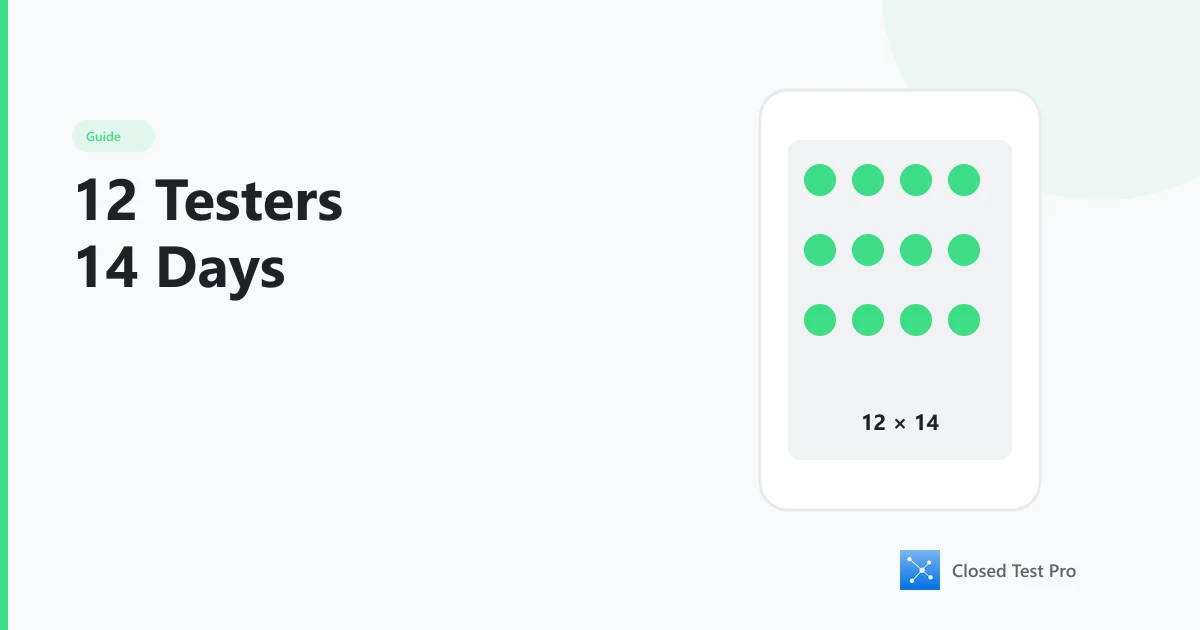
    How to Get 12 Testers for 14 Days on Google Play

    Step-by-step guide: recruit 12 opted-in Android testers, keep them engaged for 14 consecutive days, and apply for Google Play production access.

    12 minRead
    Google Play's 12 Testers / 14 Days Rule — What Actually Matters
    Policy

    Google Play's 12 Testers / 14 Days Rule — What Actually Matters

    Why personal Play Console accounts need 12 opted-in testers for 14 continuous days, what Google monitors, and who is exempt.

    5 minRead
    What Google Reviews in Your Closed Test Before Production
    Policy

    What Google Reviews in Your Closed Test Before Production

    Checklist of signals Google weighs when you apply for production after closed testing — opt-in continuity, engagement, and app quality.

    6 minRead
    Why Apps Get Rejected Even After Getting 12 Testers
    Policy

    Why Apps Get Rejected Even After Getting 12 Testers

    Why production access still fails after 12 testers — engagement, continuity, policy, stability — and how to recover correctly.

    7 minRead
    What Google Looks At When Measuring Tester Engagement
    Policy

    What Google Looks At When Measuring Tester Engagement

    Pillar guide: the engagement signals Google weighs in closed testing — sessions, retention, and patterns beyond opt-in counts.

    6 minRead
    What Counts as Real Testing (Not Just Opt-In)
    Policy

    What Counts as Real Testing (Not Just Opt-In)

    Opt-in alone is not enough: what Google treats as real closed testing — install, opens, and ongoing use vs list membership.

    5 minRead
    How Long Should Each Daily Tester Session Be?
    Policy

    How Long Should Each Daily Tester Session Be?

    Session length for closed testing: meaningful short opens beat marathon time — consistency across 14 days matters more than minutes logged.

    5 minRead
    Must Testers Open Your App Every Day? Rule vs Best Practice
    Policy

    Must Testers Open Your App Every Day? Rule vs Best Practice

    Google’s written rule is continuous opt-in; near-daily opens are the safest engagement pattern. When a missed day becomes a problem.

    4 minRead
    If a Tester Misses One Day: Does Your 14-Day Window Reset?
    Policy

    If a Tester Misses One Day: Does Your 14-Day Window Reset?

    What happens when closed testers skip a day: one miss is usually fine; opt-outs and mass gaps threaten continuity and engagement review.

    5 minRead
    How to Recover a Failed Closed Test Without Resetting Everything
    Policy

    How to Recover a Failed Closed Test Without Resetting Everything

    How to recover a failed closed test: fix root causes, rebuild a continuous 12×14 window, and re-apply — without creating a new account.

    7 minRead
    How to Fix an Insufficient Testing Rejection Yourself
    Troubleshooting

    How to Fix an Insufficient Testing Rejection Yourself

    DIY recovery after Insufficient Testing Engagement: rebuild a continuous 12×14 window with real usage, then re-apply — no paid plan required.

    8 minRead
    How to Track Closed-Test Tester Activity Day by Day
    Workflow

    How to Track Closed-Test Tester Activity Day by Day

    How to track closed-testing activity: combine Play Console opt-in continuity with real open/session data — not spreadsheets alone.

    7 minRead
    How to Tell If a Tester Actually Opened Your App
    Workflow

    How to Tell If a Tester Actually Opened Your App

    How to verify closed testers opened your app: Play Console shows opt-in; analytics or Closed Test Pro confirm real opens.

    5 minRead
    How to Prevent Testers From Installing Once and Leaving
    Workflow

    How to Prevent Testers From Installing Once and Leaving

    Stop install-and-leave closed testers with accountable recruiting, daily reminders, a stable first session, and fast replacements.

    6 minRead
    14-Day Tester Retention Tactics (Without Spamming)
    Workflow

    14-Day Tester Retention Tactics (Without Spamming)

    Practical retention playbook for the full closed-test window: light reminders, clear expectations, and mutual accountability — not guilt DMs.

    6 minRead
    Daily Tester Reminders: Push vs DM vs Email
    Workflow

    Daily Tester Reminders: Push vs DM vs Email

    Compare reminder channels for closed testing. Why one automated daily push beats manual DMs and email for keeping opens alive.

    5 minRead
    How to Organize Closed Testing Without Google Sheets
    Workflow

    How to Organize Closed Testing Without Google Sheets

    Organize Google Play closed testing without spreadsheets: use Play Console for opt-ins plus a tracking platform for daily participation.

    5 minRead
    How to Monitor Daily Tester Drop-Offs
    Workflow

    How to Monitor Daily Tester Drop-Offs

    Monitor closed-testing drop-offs daily: watch opt-in count and opens, intervene at 1–2 silent days, replace before you fall under 12.

    5 minRead
    What to Do If Testers Uninstall Midway Through Testing
    Workflow

    What to Do If Testers Uninstall Midway Through Testing

    If closed testers uninstall: verify opt-in count, add replacements the same day, fix crash/UX causes, and protect the 14-day continuous window.

    5 minRead
    How to Pause and Resume Closed Testing Safely
    Workflow

    How to Pause and Resume Closed Testing Safely

    There is no official Play Console “pause” for the 12×14 rule — fix fast or restart a clean continuous opt-in window before applying.

    5 minRead
    How to Validate Tester Participation Before Production
    Workflow

    How to Validate Tester Participation Before Production

    Validate closed testing before production: confirm continuous 12×14 opt-ins, real opens, low churn, then apply from the Play Console Dashboard.

    5 minRead
    Use Closed Testing to Fix Bugs — Not Only Hit 12 Testers
    Quality

    Use Closed Testing to Fix Bugs — Not Only Hit 12 Testers

    Quality-first angle: treat the 14-day window as bug-finding and UX validation time, not a headcount checkbox.

    6 minRead
    How to Collect Useful Feedback During Closed Testing
    Quality

    How to Collect Useful Feedback During Closed Testing

    Practical ways to collect actionable bug reports and UX feedback during Google Play closed testing—without relying on vague “any feedback?” asks.

    6 minRead
    How Closed Testing Helps Catch Bugs Before Production
    Quality

    How Closed Testing Helps Catch Bugs Before Production

    How to use Google Play closed testing to find crashes, UX bugs, and device issues before production—while meeting the 12-tester, 14-day rule.

    5 minRead
    What Kind of Feedback Google Likes to See
    Quality

    What Kind of Feedback Google Likes to See

    Google does not read private tester chats—but stability, retention, and engagement patterns from closed testing strongly affect production review outcomes.

    5 minRead
    Should You Push Updates During Closed Testing?
    Quality

    Should You Push Updates During Closed Testing?

    Yes—push closed-test updates for crash fixes and clear improvements. Avoid risky redesigns that break the 14-day engagement window.

    5 minRead
    How Many App Updates Are Ideal During Closed Testing
    Quality

    How Many App Updates Are Ideal During Closed Testing

    There is no magic update count for closed testing. Ship what fixes real issues—often a few targeted releases across 14 days—without risking engagement.

    4 minRead
    How to Use Closed Testing Data to Improve App Stability
    Quality

    How to Use Closed Testing Data to Improve App Stability

    Use Play Console vitals, crash clusters, and tester reports during closed testing to reduce crashes before you apply for production.

    6 minRead
    Why Family and Friends Testing Often Fails Google Review
    Community

    Why Family and Friends Testing Often Fails Google Review

    Friends and family often opt in then disappear—killing the 14 consecutive days of real engagement Google Play expects from closed testing.

    5 minRead
    Real User Testing vs Friendly Testing: What's the Difference
    Quality

    Real User Testing vs Friendly Testing: What's the Difference

    Friendly testing relies on favors; real closed testing relies on accountable daily use—what Google Play evaluates for production access.

    5 minRead
    How Closed Testing Improves Your Production Launch
    Quality

    How Closed Testing Improves Your Production Launch

    Treat closed testing as launch prep: fix crashes, validate UX, and prove 14 days of real engagement before you apply for Google Play production.

    5 minRead
    Why Mutual Testing Communities Are Effective
    Community

    Why Mutual Testing Communities Are Effective

    Mutual testing communities work because reciprocity, accountability, and shared Play Console know-how sustain 14 days of real engagement.

    5 minRead
    How Credit-Based Tester Systems Help Indie Developers
    Community

    How Credit-Based Tester Systems Help Indie Developers

    Credit-based tester systems let indie developers earn testing by helping others—fair access to 12 engaged testers for 14 consecutive days without paying cash first.

    5 minRead
    Is Tester Exchange Allowed by Google Play?
    Community

    Is Tester Exchange Allowed by Google Play?

    Yes—developers may test each other’s apps if usage is real. Fake testers, bots, and review/rating manipulation are not allowed.

    5 minRead
    How Community-Based Testing Reduces Rejections
    Community

    How Community-Based Testing Reduces Rejections

    Community closed testing reduces rejections by supplying enough opted-in testers, sustaining daily opens, and catching drop-offs before the 14-day window fails.

    5 minRead
    How Indie Developers Can Help Each Other Pass Closed Testing
    Community

    How Indie Developers Can Help Each Other Pass Closed Testing

    Indie developers can pass closed testing faster by mutually testing apps—sharing the load of 12 engaged testers for 14 consecutive days.

    5 minRead
    What Daily Tester Statistics Look Like in a Successful Closed Test
    Data

    What Daily Tester Statistics Look Like in a Successful Closed Test

    Healthy closed-test stats show ~12 opted-in testers opening the app across 14 consecutive days with low uninstalls—not a day-1 spike and silence.

    6 minRead
    How to Read Closed Testing Progress Correctly
    Data

    How to Read Closed Testing Progress Correctly

    Read closed-test progress by combining opted-in count, daily opens, trend direction, and consecutive-day continuity—not a single snapshot.

    5 minRead
    What a Healthy 14-Day Testing Timeline Looks Like
    Data

    What a Healthy 14-Day Testing Timeline Looks Like

    A healthy 14-day closed test keeps ~12 opted-in testers opening the app continuously from setup through finish—with quick fixes for early drop-offs.

    6 minRead
    How to Read Closed-Test Opens, Retention & Trends
    Data

    How to Read Closed-Test Opens, Retention & Trends

    Dashboard literacy for closed testing: interpret opens, retention, and day-to-day trends — then act when the ≥12 cohort is at risk.

    5 minRead
    Why Consecutive Daily Opens Beat One Busy Day
    Data

    Why Consecutive Daily Opens Beat One Busy Day

    Why unbroken day-to-day opens matter for Google Play’s continuous 14-day closed testing window — and why a single spike is not enough.

    5 minRead
    How Uninstall Signals Affect Closed Testing
    Data

    How Uninstall Signals Affect Closed Testing

    How tester uninstalls affect closed testing engagement signals and your path to production access.

    5 minRead
    How Google Interprets Tester Retention
    Data

    How Google Interprets Tester Retention

    How retention and engagement during closed testing relate to Google Play’s production-access review.

    5 minRead
    What a "Passing" Closed Testing Pattern Looks Like
    Data

    What a "Passing" Closed Testing Pattern Looks Like

    What a healthy closed testing pattern looks like for personal accounts needing 12 testers over 14 consecutive days.

    5 minRead
    Daily Testing Pattern vs Random Opens: Which Passes Review?
    Data

    Daily Testing Pattern vs Random Opens: Which Passes Review?

    Side-by-side: consistent daily opens vs sporadic bursts — which pattern better supports a continuous 14-day closed test.

    5 minRead
    Closed Testing Metrics Every Indie Developer Should Track
    Data

    Closed Testing Metrics Every Indie Developer Should Track

    Essential metrics to monitor during Google Play’s 14-day closed testing period for personal developer accounts.

    6 minRead
    My Closed Test Is Stuck at 11 Testers — What to Do
    Troubleshooting

    My Closed Test Is Stuck at 11 Testers — What to Do

    What to do when your closed test is stuck at 11 opted-in testers and you need 12 for production access.

    5 minRead
    Closed Testing Running But Stats Not Showing — Explained
    Troubleshooting

    Closed Testing Running But Stats Not Showing — Explained

    Why closed testing stats can lag or look empty—and how to verify real tester activity.

    5 minRead
    Testers Say Item Not Found — How to Fix It
    Troubleshooting

    Testers Say Item Not Found — How to Fix It

    How to fix “Item not found” when closed testers try to open or install your app on Google Play.

    4 minRead
    Why My App Isn't Appearing to Testers
    Troubleshooting

    Why My App Isn't Appearing to Testers

    Why testers cannot see your closed testing app in Google Play and how to fix it.

    5 minRead
    How to Fix Google Group Issues in Closed Testing
    Troubleshooting

    How to Fix Google Group Issues in Closed Testing

    Fix Google Groups membership and sync problems that block closed testing opt-in on Google Play.

    5 minRead
    Why Some Testers Can't Install Your App
    Troubleshooting

    Why Some Testers Can't Install Your App

    Diagnose why some closed testers can install your app while others cannot.

    5 minRead
    What to Do If Tester Count Drops Suddenly
    Troubleshooting

    What to Do If Tester Count Drops Suddenly

    What to do when your closed testing opted-in or active tester count drops unexpectedly.

    5 minRead
    How to Continue Closed Testing After an Error
    Troubleshooting

    How to Continue Closed Testing After an Error

    How to recover and keep a closed test moving after crashes, drop-offs, or configuration mistakes.

    5 minRead
    How to Debug Closed Testing Issues Step by Step
    Troubleshooting

    How to Debug Closed Testing Issues Step by Step

    A practical debugging checklist for Google Play closed testing install, opt-in, and engagement problems.

    6 minRead
    Common Closed Testing Setup Mistakes
    Troubleshooting

    Common Closed Testing Setup Mistakes

    Frequent Google Play closed testing setup mistakes that break the 12-tester, 14-day requirement—and how to avoid them.

    5 minRead
    Google Play Closed Testing: Beginner Setup Guide (2026)
    Guide

    Google Play Closed Testing: Beginner Setup Guide (2026)

    First-time setup: create a closed track, invite testers, and complete 12×14 continuous days — a how-to start, not a “why Google requires it” essay.

    12 minRead
    Closed Testing vs Open Testing: What Is the Difference
    Guide

    Closed Testing vs Open Testing: What Is the Difference

    Differences between Google Play closed testing and open testing—and which one new personal accounts must complete first.

    5 minRead
    From Upload to Production: Android App Release Explained
    Guide

    From Upload to Production: Android App Release Explained

    How Android apps move from Play Console upload through closed testing to production access.

    6 minRead
    How Google Evaluates New Developer Accounts
    Guide

    How Google Evaluates New Developer Accounts

    What Google looks for when reviewing new developer accounts.

    5 minRead
    Why Google Requires Closed Testing for New Developer Accounts
    Guide

    Why Google Requires Closed Testing for New Developer Accounts

    Policy background: the user-protection and quality reasons Google added the closed-testing gate for new personal Play Console accounts.

    5 minRead
    The Evolution of Google Play Testing Requirements
    Guide

    The Evolution of Google Play Testing Requirements

    How Google Play closed testing evolved — from open publishing to the current 12 opted-in testers for 14 consecutive days on new personal accounts.

    5 minRead
    How Google Protects Users Through Closed Testing
    Guide

    How Google Protects Users Through Closed Testing

    Understanding Google's user protection strategy and the role of testing.

    5 minRead
    Best Practices for Safe App Launches
    Guide

    Best Practices for Safe App Launches

    Launching your app successfully and safely on Google Play.

    6 minRead
    How Indie Developers Can Launch Faster
    Guide

    How Indie Developers Can Launch Faster

    Strategies for accelerating your path to production without cutting corners.

    5 minRead
    Preparing Your App for Production Approval
    Guide

    Preparing Your App for Production Approval

    Everything to check before applying for production release.

    6 minRead
    Pro & Premium Free Retesting: What “Guaranteed” Really Means
    Paid Plans

    Pro & Premium Free Retesting: What “Guaranteed” Really Means

    Honest breakdown of Closed Test Pro Pro/Premium: Tester Protection, 14 days free retesting, and what the production-access guarantee does — and does not — cover.

    9 minRead
    Premium Plan: 30 Testers to Reduce Insufficient-Testing Risk
    Paid Plans

    Premium Plan: 30 Testers to Reduce Insufficient-Testing Risk

    Product guide: how Closed Test Pro Premium’s 30-tester buffer helps you stay above Google’s 12×14 bar after drop-offs — not a DIY recovery walkthrough.

    8 minRead
    Pro Plan ($9.99): Get 20 Real Testers for Closed Testing
    Paid Plans

    Pro Plan ($9.99): Get 20 Real Testers for Closed Testing

    Buy the Pro plan for 20 community testers, priority queue, and Tester Protection. Google’s minimum is 12×14; Pro’s 20 is a paid buffer.

    7 minRead
    Closed Test Pro Premium Explained: 30 Testers & Highest Priority
    Paid Plans

    Closed Test Pro Premium Explained: 30 Testers & Highest Priority

    Full Premium ($21.99) plan tour: 30 testers, highest-priority queue, Tester Protection, and production-access terms — separate from the DIY rejection fix.

    10 minRead
    Free Web to APK: Convert Any Website to an Android App in Minutes
    Tools

    Free Web to APK: Convert Any Website to an Android App in Minutes

    Learn how to convert any website into a native Android APK using Free Web to APK. Turn your website, blog, or web app into a downloadable Android application for free — no coding required.
    6 minRead
    Sign an Android AAB Online Free: jarsigner Without Android Studio
    Tools

    Sign an Android AAB Online Free: jarsigner Without Android Studio

    Sign an unsigned Android App Bundle for Google Play without installing a local JDK. Use Closed Test Pro AAB Signer with jarsigner, your keystore, and a secure GitHub Actions workflow.

    8 minRead